User guide / Discovering the interface / Signing in to Gladys
Getting startedSigning in to Gladys
How to access your Gladys workspace with your email and password, or directly with Google, LinkedIn or GitHub.
2 min read updated October 2026
Before accessing your dashboard, tasks and projects, you need to sign in from the Gladys login screen. It offers two ways to sign in: with your email and password, or directly with an existing Google, LinkedIn or GitHub account.
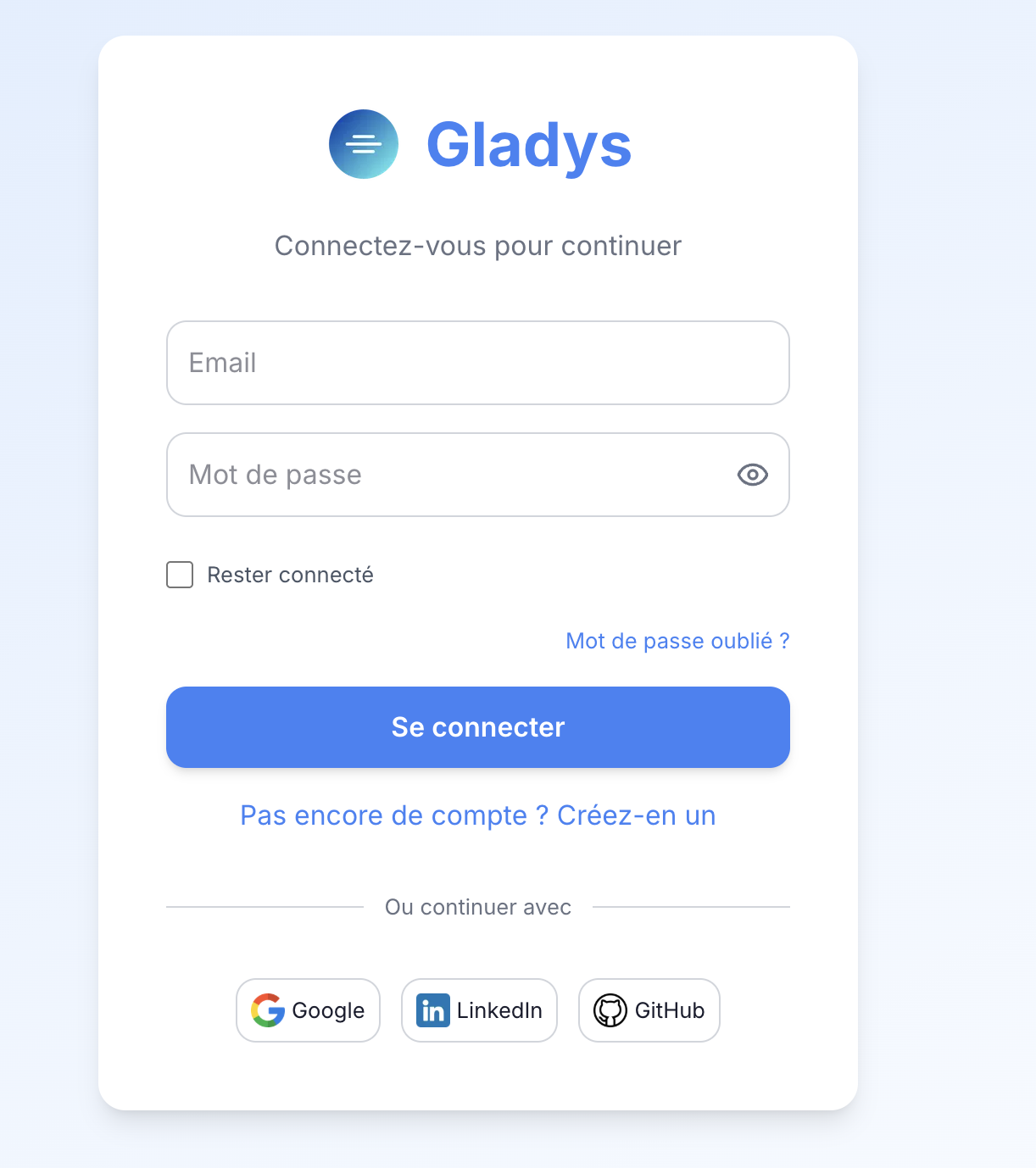
Signing in with your email and password
- 1Go to the Gladys login page.
- 2Enter your address in the Email field.
- 3Enter your Password.
- 4Click Sign in.
Showing or hiding your password
An eye icon, on the right of the Password field, shows the characters you typed in clear — useful to check what you entered before confirming, especially on mobile.
Staying signed in
The Stay signed in checkbox, below the password field, saves you from re-entering your credentials each time you visit on this device.
Good to know: only enable this option on a personal computer. Avoid it on a shared or public device.
Forgotten password
If you can no longer find your password, click the Forgot your password? link, above the sign-in button. You will be guided to receive a reset email and choose a new password.
Creating an account
If you don't have a Gladys account yet, click No account yet? Create one, just below the Sign in button, to start creating your account.
Signing in with Google, LinkedIn or GitHub
To avoid managing yet another password, Gladys lets you sign in directly with an existing account. These options are available under Or continue with, at the bottom of the login screen.
Simply click the button of the service you want and follow the authorisation steps shown by that service. No password information is shared with Gladys.
Frequently asked questions
Can I change sign-in method after creating my account?
It depends on your organisation's configuration. Contact your Gladys administrator if you want to link a Google, LinkedIn or GitHub account to an existing account created with an email.
Is the "Stay signed in" option safe on a shared computer?
No, we recommend not enabling it on a shared or public device, to prevent someone else from accessing your account.
What should I do if I don't receive the password reset email?
Check your junk mail (spam). If the email still hasn't arrived after a few minutes, contact Gladys support.